The “Well-Tech” Revolution: Using Software to Solve Staff Burnout

Let’s face it: working in a restaurant can be a grind. The rush of service, the demanding customers, the long hours and the constant pressure to perform can take a serious toll. For too long, the industry has accepted burnout as an inevitable part of the job. But in 2026, that narrative is finally shifting. We’re seeing the rise of the “Well-Tech” Revolution – using smart software not just to manage inventory or schedule shifts, but to actively support the mental and emotional well-being of your most valuable asset: your people.

This isn’t about expensive yoga retreats for your staff (though those are nice!). This is about proactive, data-driven solutions that help you identify stress points, prevent burnout and foster a healthier, happier work environment. Because a happy team isn’t just a nice idea; it’s the foundation of a thriving, profitable restaurant.

Beyond the Paycheck: What Staff Really Need

In a tight labor market, offering competitive wages is crucial, but it’s often not enough. Today’s hospitality professionals, especially younger generations, are looking for more. They want a workplace that values their well-being, offers flexibility and shows genuine care.

Traditional methods of gauging staff morale – like annual surveys or casual chats – often fall short. People might not be comfortable voicing their struggles directly to management for fear of repercussions. This is where “Well-Tech” steps in, creating a safe, anonymous space for feedback and offering actionable insights.

Unmasking Stress: Sentiment Analysis and Digital Check-ins

Imagine knowing the emotional pulse of your team without anyone having to say a word directly. That’s the power of sentiment analysis in modern restaurant tech. These platforms integrate with existing HR or scheduling software, allowing staff to quickly and anonymously log their “mood” or answer brief, targeted questions about their shift experience.

  • How it works: After a shift, staff might get a quick notification: “How was your shift today? (Thumbs Up / Thumbs Down / Neutral)” or “What was your biggest challenge today?” with pre-set options like “Understaffed,” “Overwhelmed,” “Unclear Communication.”
  • The benefit: This aggregate, anonymous data gives managers a real-time snapshot of morale. If 70% of your evening crew reports feeling “overwhelmed” on a Saturday, it’s a clear signal to investigate staffing levels, kitchen flow or specific training needs before that feeling turns into a resignation letter. Real-time tracking of staff fatigue can ease pressure points and smoothen the work experience.  

These tools are becoming essential for taking the temperature of your team and making proactive adjustments. It moves you from reacting to problems after they explode, to gently course-correcting before they even simmer.

Smart Breaks & Dynamic Scheduling: The Science of Sustained Performance

One of the biggest culprits of burnout is the relentless, non-stop nature of peak service. When staff don’t get adequate breaks or feel constantly rushed, stress builds. “Well-Tech” is leveraging AI to optimize not just who is scheduled, but how their shifts flow.

  • AI-driven break optimization: Instead of arbitrary break times, smart scheduling software can analyze real-time sales data and labor demands to suggest the optimal 15-minute window for each staff member to step away. It identifies natural lulls when their absence will have minimal impact on service, ensuring they get a true mental break.
  • Dynamic task allocation: For example, if a server is repeatedly logging high stress levels, the system might subtly shift some of their side work to another team member who has indicated lower stress or recommend a slightly shorter shift for the next few days.

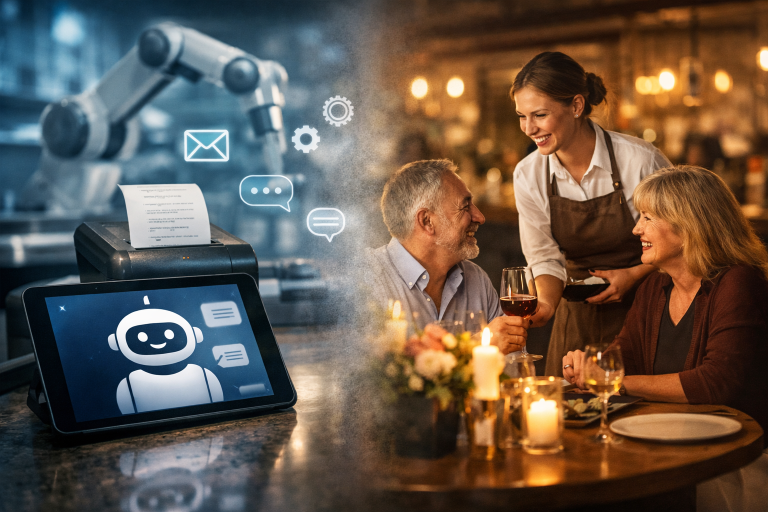
This kind of intelligent scheduling isn’t just about efficiency; it’s about building resilience into your operations. It recognizes that humans aren’t robots and that sustained performance requires strategic downtime. 

Beyond the Back Office: Integrated Wellness Resources

“Well-Tech” also extends to providing accessible resources directly through staff apps:

  • Anonymous reporting: Secure channels for reporting harassment, bullying or unsafe conditions without fear of retaliation.
  • Mental health resources: Direct links to employee assistance programs (EAPs), mental health hotlines or stress-reduction exercises.
  • Financial wellness tools: Access to early wage access programs, budgeting tools or financial counseling, as financial stress is a major contributor to overall burnout.

The ROI of Empathy: Why This Matters to Your Bottom Line

Investing in “Well-Tech” isn’t just the right thing to do, it’s a smart business decision.

  • Reduced turnover: High turnover is incredibly expensive (recruitment, training, lost productivity). By creating a supportive environment, you retain your best talent longer.
  • Increased productivity: Happier, less stressed employees are more engaged, more productive and provide better customer service.
  • Improved reputation: Restaurants known for caring for their staff attract top talent and loyal customers.
  • Lower absenteeism: Proactive stress management can lead to fewer sick days and more reliable attendance.

The restaurant industry has always been about taking care of guests. Now, with the “Well-Tech” revolution, it’s time to extend that same level of care and innovation to the people who make it all happen every single day, your employees. By embracing these tools, you’re not just investing in software; you’re investing in a more resilient, compassionate and ultimately more successful future for your restaurant.

Voice AI in the Drive-Thru: Solving the Accuracy Crisis

If you’ve ever managed a busy drive-thru, you know the pressure: cars stacking up, staff juggling multiple tasks and customers growing impatient. For years, the biggest challenge wasn’t just speed, it was accuracy. Misheard orders, misunderstood accents and those inevitable “umms” and “ahhs” often led to mistakes, frustration and lost time. But now, Voice AI powered by Natural Language Processing (NLP) is stepping in to solve what many call the ‘accuracy crisis’ in drive-thru operations.

The Drive-Thru Bottleneck

Quick-service restaurants (QSRs) thrive on efficiency. A delay of even 20 seconds per car can ripple into longer wait times, unhappy customers and reduced throughput. Traditionally, human staff at the headset had to decipher a wide range of accents, background noise and filler words—all while upselling and coordinating with the kitchen. It’s no wonder mistakes happened.

Recent studies show that Voice AI systems are shaving off up to 29 seconds off average drive-thru times, while also improving order accuracy. That’s not just a small gain—it’s a game-changer for operators managing high-volume lanes.

Why NLP Is the Secret Ingredient

The breakthrough lies in how modern NLP handles real-world speech. Unlike older systems that stumbled over non-standard English or hesitated when customers paused, today’s AI can:

  • Recognize diverse accents: Whether it’s a Texan drawl, a New York rush or a customer speaking English as a second language, NLP models are trained on vast datasets that reflect real-world diversity.
  • Filter filler words: “Um, can I get a… ahh, large fries?” doesn’t throw the system off. AI now ignores these verbal tics, focusing on the intent behind the words.
  • Adapt to noisy environments: Drive-thrus are rarely quiet. Engines, kids in the backseat or even rain on the roof can interfere. AI systems are designed to filter background noise better than human ears.

This means fewer errors, faster service and happier customers.

The Human Factor: Relief, Not Replacement

It’s important to note: Voice AI isn’t here to replace your team. Instead, it’s here to relieve them of repetitive, high-stress tasks. Imagine your staff focusing on food prep, customer service at the window and upselling, while AI handles the bulk of order-taking.

This shift reduces burnout, improves morale and ensures that human staff can shine where they’re most valuable: delivering hospitality and solving unique customer needs. The enhanced efficiency benefits both your staff and your customers

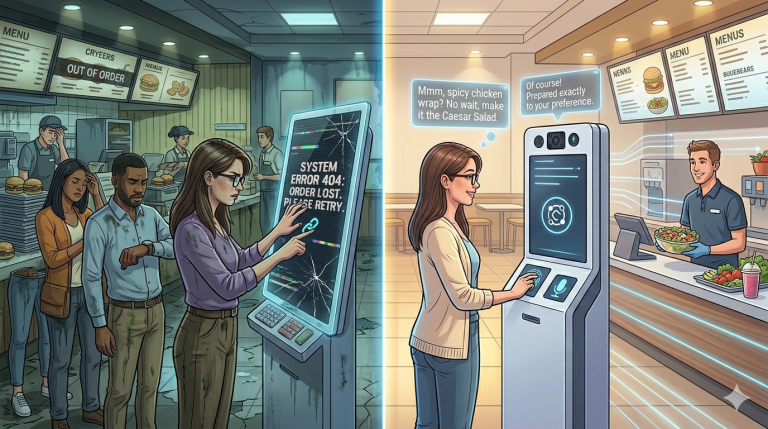
Example: A Tale of Two Drive-Thrus

Picture this:

  • Drive-Thru A (Human-only): A customer with a heavy accent orders a “double cheeseburger, no pickles.” The staff member mishears “extra pickles.” The order is wrong, the customer is annoyed and the car behind waits longer.
  • Drive-Thru B (Voice AI + Human): The same customer speaks, filler words and all. The AI filters the pauses, recognizes the accent and confirms the order on-screen. The staff member simply hands over the correct meal. The line moves faster and everyone leaves happier.

That’s the difference NLP makes.

Why Operators Should Care

For restaurant operators and managers, the benefits are clear:

  • Reduced wait times: Faster lanes mean more cars served per hour.
  • Improved accuracy: Fewer remakes save money and reduce waste.
  • Labor efficiency: Staff can focus on higher-value tasks.
  • Customer satisfaction: Shorter waits and correct orders build loyalty.

In an industry where margins are tight and customer patience is thinner than ever, these gains are critical.

Looking Ahead

Voice AI is still in its early stages, but adoption is accelerating. With billions in investment flowing into AI companies, the technology will only get smarter, faster and more adaptable. Soon, customers may not even realize they’re speaking to a machine and that’s the point.

For operators, the takeaway is simple: Voice AI isn’t a futuristic luxury, it’s a practical solution to today’s accuracy crisis. By embracing it, you’re not just keeping up with the competition; you’re setting the pace.

Final Thoughts

The drive-thru has always been a symbol of convenience. Now, with Voice AI powered by NLP, it’s becoming a symbol of precision and speed. For restaurant operators, this is more than a tech upgrade. It’s a way to deliver better service, reduce stress on staff and keep customers coming back.

The accuracy crisis is being solved, one “um” and “ahh” at a time.

The Rise of “Phygital” Dining: Smart Kiosks 2.0

Walk into a modern quick-service or casual dining restaurant today and chances are you’ll spot sleek kiosks or tabletop tablets glowing invitingly. Once upon a time, these devices were simply digital order-takers – functional, efficient, but not exactly thrilling. Fast forward to 2026 and they’ve evolved into Smart Kiosks 2.0: entertainment hubs, instant feedback loops and subtle sales engines that are reshaping the dining experience.

Let’s dig into why this “phygital” (physical + digital) revolution matters for restaurant operators and managers, and how you can harness it to delight guests and grow your bottom line.

From Ordering Machines to Entertainment Hubs

The first wave of kiosks was all about speed. Customers could skip the line, tap their order and move on. But today’s diners expect more than efficiency. They want engagement.

  • Tabletop tablets now double as entertainment centers. Think trivia games for families waiting on their food or interactive wine pairings for couples on date night. Chili’s famously experimented with Ziosk tablets, letting guests play games for a small fee while waiting for their meal. The result? Kids stayed entertained, parents stayed relaxed and the restaurant pocketed extra revenue.
  • Smart kiosks integrate loyalty programs. Guests can log in, track points and even receive personalized upsell suggestions. Imagine a screen nudging a loyal burger fan toward the new truffle fries – subtle, but effective.
  • Instant feedback loops. Instead of waiting for a paper survey or a mystery shopper, kiosks now prompt diners to rate their experience in real time. That data flows straight to managers, who can act immediately if something’s off.

This isn’t just tech for tech’s sake. It’s hospitality amplified through digital touchpoints.

The Revenue Boost: Visual Upselling Works

Here’s the stat that should make every operator sit up: restaurants using AI-powered kiosks typically see check sizes increase by 20-35%. Why? Because visuals sell.

  • A server might suggest dessert, but a kiosk shows a mouthwatering photo of molten lava cake, complete with steam rising. Suddenly, resistance melts.
  • AI-powered kiosks can recommend add-ons based on what’s already in the cart. Order a burger? The screen nudges you toward bacon or avocado. Research shows some operators see even higher gains – up to 35% in certain cases .
  • Upselling feels less pushy when it’s digital. Guests don’t feel pressured by a human; they feel tempted by a glossy image.

For managers, this means kiosks aren’t just operational tools, they’re silent salespeople working 24/7.

Real-Time Feedback: The Manager’s Secret Weapon

One of the most underrated features of Smart Kiosks 2.0 is their ability to capture guest sentiment instantly.

  • Micro-surveys at checkout. A quick “How was your meal?” with emoji faces gives managers a pulse check.
  • Alerts for negative feedback. If a guest reports a poor experience, managers can intervene before they leave, turning a potential bad review into a recovery moment.
  • Data dashboards. Over time, kiosks build a treasure trove of insights: which menu items get rave reviews, which staff shifts correlate with higher satisfaction and where upselling works best.

This feedback loop is gold for operators who want to stay agile and responsive.

Case in Point: The QSR Boom

Quick-service restaurants (QSRs) have been the early adopters of phygital dining. Chains like McDonald’s and Taco Bell have rolled out kiosks nationwide, reporting faster service and higher check sizes. In fact, according to Starfleet Research, 63% of operators using handheld POS devices and kiosks report higher check sizes.

But it’s not just QSRs. Casual dining spots, coffee shops and even fine dining restaurants are experimenting with kiosks and tablets. Imagine a wine bar where guests can browse tasting notes, watch vineyard videos and order flights, all from a sleek tabletop screen.

Why Operators Should Care

So, why should you, as a restaurant operator or manager, embrace Smart Kiosks 2.0?

  • Revenue growth. That 20–35% check size increase isn’t pocket change. It’s a game-changer for margins.
  • Guest satisfaction. Entertainment and instant feedback reduce wait-time frustration and boost loyalty.
  • Operational efficiency. Kiosks free up staff to focus on hospitality rather than order-taking.
  • Future-proofing. Diners increasingly expect digital touchpoints. Ignoring kiosks risks making your restaurant feel outdated.

Getting Started: Practical Tips

If you’re considering kiosks or tablets, here are a few steps to make the transition smooth:

  1. Start small. Pilot kiosks at a few tables or one section of your restaurant.
  2. Focus on visuals. Invest in high-quality food photography – this is your upselling engine.
  3. Integrate loyalty. Make sure kiosks tie into your rewards program for maximum stickiness.
  4. Train staff. Position kiosks as partners, not replacements. Staff should encourage guests to explore them.
  5. Monitor feedback. Use the instant data to tweak operations and menu offerings.

The Phygital Future

Dining has always been about more than food. Dining is about experience. Smart Kiosks 2.0 are ushering in a new era where physical hospitality meets digital engagement, creating a seamless, memorable journey for guests.

For operators, the message is clear: kiosks aren’t just gadgets. They’re profit drivers, guest entertainers and feedback machines rolled into one. Ignore them and you risk leaving money – and loyalty – on the table.

Unified Commerce: Ending “Tablet Hell”

Walk into almost any busy restaurant kitchen over the past few years and you’d see it: a row of glowing tablets lined up like soldiers, each one pinging with orders from a different delivery app. Uber Eats, DoorDash, Grubhub, your own website, maybe even a kiosk in the lobby. Staff had to juggle them all, swiping, syncing and sometimes retyping orders into the POS. It was chaos. Operators started calling it tablet hell and for good reason.

But here’s the good news: the industry is finally waking up to the cure. It’s called unified commerce and it’s all about consolidating those fragmented systems into one single pane of glass. Instead of bouncing between five devices, your team sees everything – delivery, dine-in, online and kitchen tickets – on one screen. Imagine the relief.

Why Tablet Hell Was Burning Everyone Out

Operational complexity has quietly become the number one cause of staff burnout. Think about it:

  • Order duplication: A burger ordered via DoorDash had to be manually keyed into the POS, while the same burger ordered in-house was already there. Double work, double chance of error.
  • Menu mismatches: Updating prices or specials meant logging into multiple platforms. Forget one and customers got confused or, worse yet, angry.
  • Kitchen chaos: With orders coming from different devices, cooks had to check multiple screens. That’s not just inefficient; it’s stressful.

One operator described it as “playing whack-a-mole with orders.” Staff weren’t burning out because of long hours alone, they were burning out because of friction. Every extra click was another straw on the camel’s back.

The Single-Pane-of-Glass Solution

So what does unified commerce look like in practice? Picture this:

  • A customer orders a pizza on your website.
  • Another orders the same pizza through Uber Eats.
  • A third walks in and orders at the counter.

Instead of three different systems, all three orders flow into one POS dashboard. The kitchen sees them on a single KDS screen, tickets are timed together and the front-of-house can track progress without toggling between apps. It’s like switching from a messy desk covered in sticky notes to a clean planner with everything in one place.

IBM describes the “single pane of glass” concept as a centralized dashboard that aggregates multiple data points into one intelligible view – a single source of truth for operations. For restaurants, that means fewer mistakes, faster service and a calmer team.

Real-World Example: From Chaos to Calm

Take a mid-sized burger joint in Chicago. Before adopting unified commerce, they had six tablets lined up by the register. Staff had to check each one constantly and the kitchen was drowning in mismatched tickets. After switching to a single-pane POS, they cut order-entry time by 40%. Staff reported feeling less stressed and turnover dropped. Customers noticed too: orders were faster and mistakes plummeted.

It’s not just anecdotal. A recent guide on unified commerce for restaurants notes that fragmented systems slow down operations and create confusion, while consolidation streamlines everything.

Why 2026 Is the Year of Consolidation

The timing couldn’t be better. Delivery apps aren’t going away and customers expect omnichannel ordering. But operators are realizing that more platforms don’t have to mean more headaches. Vendors are racing to offer integrated POS solutions that handle:

  • Third-party delivery integration
  • In-house ordering (counter, kiosk, mobile)
  • Kitchen display systems
  • Inventory and menu management

The result? A single flow from customer to kitchen to cashier. Less juggling, more serving.

Staff Burnout: The Hidden Cost

Let’s be honest: turnover is expensive. Training new staff takes time and losing experienced employees hurts service quality. Burnout from operational complexity is a silent killer. When staff spend more time managing devices than engaging with guests, morale tanks. Unified commerce isn’t just a tech upgrade, it’s a people strategy. By reducing friction, you’re giving your team the gift of focus.

A Warm Word to Operators

If you’re a restaurant operator or manager, here’s the takeaway: consolidation is the solution in 2026. Don’t settle for tablet hell. Ask your POS vendor about single-pane-of-glass integrations. Look for systems that bring delivery, dine-in and kitchen together. Your staff will thank you, your customers will notice and your bottom line will reflect it.

Think of it like moving from a cluttered kitchen drawer to a neatly organized toolkit. Everything you need, right where you expect it. That’s unified commerce. And it’s not just about technology; it’s about creating a calmer, more human workplace.

Final Thought

Restaurants thrive on rhythm: orders flowing, dishes plated, guests served. Tablet hell disrupted that rhythm. Unified commerce restores it. In 2026, the smartest operators aren’t adding more devices, they’re consolidating. Because when everything flows through one pane of glass, everyone – from the line cook to the manager – can finally breathe easier.

Restaurant Technology Trends Report: 2026

1. Executive Summary

The U.S. restaurant industry in 2026 is defined by a shift from technological experimentation to strategic integration. The “nice-to-have” tools of the past decade have matured into essential operational nervous systems. This report outlines the defining technology trends for the year, focusing on practical applications that drive efficiency, enhance the guest experience and improve profitability. Key themes include the maturity of Artificial Intelligence (AI) in practical operations, the evolution of hyper-personalized guest journeys, and the critical importance of a unified, data-driven tech stack. Operators who successfully integrate these technologies will be best positioned to navigate a competitive landscape and meet the evolving demands of the modern diner.

Fill in your details to download full report.

The Rise of Ghost Kitchen Tech Stacks: Essential Tools for Virtual Brands

The ghost kitchen, or cloud kitchen, has fundamentally redefined the modern restaurant landscape. By eliminating the high overhead of a storefront and dining room, these virtual brands prioritize kitchen efficiency and logistics above all else. This shift has placed an unprecedented reliance on technology. In this delivery-first model, the technology stack is not merely a support function—it is the core operational infrastructure that determines profitability, consistency and scalability.

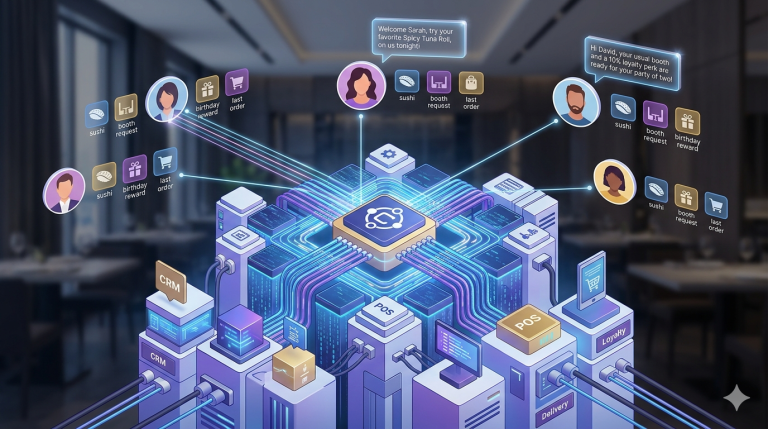
To thrive in the competitive virtual landscape, operators must move beyond a patchwork of disparate tablets and embrace a unified, intelligent tech stack. This comprehensive system is built upon four essential pillars, each designed to optimize a specific stage of the order fulfillment workflow.

1. The Central Command: Order Aggregation and POS

The immediate challenge for any virtual brand operating across multiple platforms (Uber Eats, DoorDash, proprietary apps) is the chaos of ‘tablet hell.’ The solution is a robust, integrated order management system that serves as the central command.

Order aggregator/middleware platform

The order aggregator is the non-negotiable first layer of the tech stack. Its function is to pull all incoming orders from various third-party delivery platforms (3PDs) and first-party ordering channels into a single, unified feed.

  • Eliminates manual entry: By automating the order intake, the system eradicates the most common cause of error: human re-entry of ticket details from a tablet into a Point-of-Sale (POS) system.
  • Centralized menu management: Advanced aggregators allow operators to manage and update menus, pricing and item availability across all connected platforms simultaneously from one dashboard. This ensures brand consistency and operational coherence across all channels. 

Cloud-based point-of-sale (POS) system

The POS acts as the system of record and the financial backbone of the operation. In the ghost kitchen model, it must be inherently cloud-native and API-driven to handle high-volume, digital-only transactions.

  • Multi-brand accounting: The POS must accurately track sales, profit and costs segregated by individual virtual brand and by ordering channel. This data is critical for understanding which concepts are profitable and which platforms are performing.
  • Inventory integration: The sales data flows directly into the inventory system, providing real-time deduction of ingredients—a crucial feature for minimizing the food waste inherent in a high-volume, dynamic environment.

2. The Engine Room: Kitchen Workflow and Speed

Once an order is accepted by the POS, the next critical phase is ensuring rapid and accurate preparation. This is where the Kitchen Display System (KDS) is paramount.

Integrated kitchen display system (KDS)

The KDS replaces paper tickets with digital screens on the kitchen line. This digital interface is essential for maintaining a high-throughput, error-free production line.

  • Intelligent routing: A sophisticated KDS automatically routes specific items on a multi-dish ticket to the correct prep station (e.g., salads to cold prep, burgers to the grill). This eliminates confusion and streamlines the workflow.
  • Real-time prioritization: The system manages cook times and promise times, displaying orders with color-coded urgency and enabling automatic ticket ‘bumping.’ This ensures staff are always working on the item that needs to be finished now for on-time delivery.
  • Expediting and handoff: A dedicated expediter screen (the “Pass Screen”) allows staff to consolidate and check completed orders before the handoff, ensuring every bag is sealed with 100% accuracy. The seamless integration between the POS and KDS is foundational to reducing service speed and error rates in a production-focused kitchen.

3. The Logistics Layer: Delivery and Dispatch Management

With food prepared, the ghost kitchen’s final operational hurdle is the seamless handoff to the courier fleet, whether third-party or in-house.

Delivery optimization/fleet management tools

For operators running their own delivery fleet or a hybrid model, technology must optimize the final mile.

  • Courier management: This software coordinates with 3PD APIs to notify kitchens of estimated courier arrival times, ensuring the food is ready for pickup just in time, minimizing the time a finished order sits under a heat lamp.
  • Route optimization (in-house): For owned fleets, the system provides drivers with the most efficient route planning based on real-time traffic data, improving delivery speed and cutting down on fuel/labor costs.

4. The Intelligence Platform: Data and Optimization

The most advanced layer of the ghost kitchen tech stack transforms raw transaction data into actionable business intelligence.

Inventory management software

In a model built on low overhead and high-volume, controlling food cost is everything. An automated inventory system is crucial for margin protection.

  • Real-time usage tracking: By linking to the POS and sales data, the system monitors ingredient usage, flags variances (food waste or theft) and calculates actual food cost per menu item.
  • Demand forecasting: Modern inventory software utilizes sales data to accurately forecast future ingredient needs, allowing for Just-in-Time (JIT) ordering. This minimizes the holding cost and spoilage risk of perishable items.

Business intelligence (BI) and analytics

Ghost kitchens lack direct customer interaction, making data the sole source of market intelligence.

  • Performance metrics: BI dashboards aggregate key metrics by brand, item and hour: average preparation time, delivery channel commission analysis, most profitable items and most common order errors.
  • Menu engineering: Analyzing customer order patterns and sales data allows operators to make data-driven decisions on menu rotation, pricing adjustments and the precise dishes to include for new virtual brand concepts. Leveraging data analytics to predict demand and personalize marketing is a key differentiator in the ghost kitchen model.

Conclusion

The ghost kitchen is inherently a technology company that sells food. The sophistication of its tech stack dictates its competitive advantage. The convergence of cloud POS, order aggregation, KDS and automated inventory management forms a closed-loop system designed for one purpose: to process a high volume of digital orders with minimal waste, maximum speed and perfect consistency. For any virtual brand looking to scale effectively, investment in a unified, professional-grade tech stack is not an expense—it is the foundational capital expenditure for future growth.

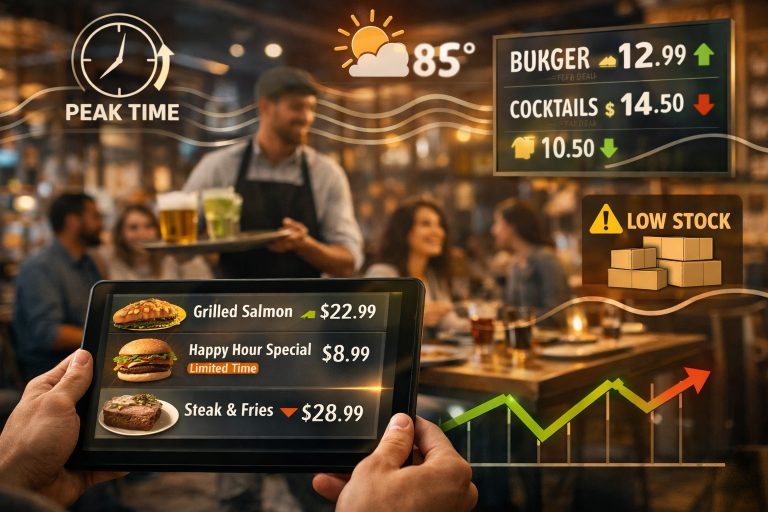
The Psychology of Menu Pricing: Optimizing Perceived Value Without Lowering Quality

In the restaurant world, pricing isn’t just about covering costs – it’s about shaping perception. The way prices are presented on a menu can dramatically influence what guests choose, how much they spend and how satisfied they feel afterward. Welcome to the subtle art of menu psychology, where design meets consumer behavior to maximize check averages without increasing costs.

Whether you’re running a fine-dining establishment or a fast-casual concept, understanding the psychological triggers behind menu pricing can help you engineer a menu that feels indulgent, fair and irresistible.

Decoy Pricing: The Power of Strategic Contrast

Decoy pricing is one of the most effective tools in the menu engineer’s toolkit. It works by placing a high-priced item next to a slightly less expensive – but still premium – option. The goal? Make the second item look like a better deal by comparison.

Example:
If your menu features a $65 dry-aged ribeye and a $42 New York strip, the ribeye acts as a decoy. Most guests will opt for the strip, perceiving it as high-value without feeling like they’ve splurged. The ribeye may not sell often, but its presence boosts the perceived value of the strip.

Sweet Spots: Where Eyes Land First

Menu layout matters. Research shows that diners tend to focus on specific areas of a menu – typically the top right corner and the center of the page. These are known as “sweet spots” and they’re prime real estate for your most profitable dishes.

Actionable Tip:
Place high-margin items in these visual hotspots. Use subtle boxes, bold fonts or tasteful shading to draw attention without overwhelming the design. Avoid cluttering these areas with too many options – simplicity sells.

Remove the Dollar Signs

It may seem counterintuitive, but removing dollar signs from your menu can increase spending. Why? Because dollar signs remind guests they’re spending money. Without them, prices feel less transactional and more experiential.

Example:
Instead of listing “$18,” try “18” or “Eighteen.” This subtle shift reduces price sensitivity and encourages guests to focus on the dish itself rather than its cost.

Descriptive Language: Sell the Story, Not Just the Dish

Words matter. Descriptive, evocative language can elevate a dish’s perceived value and justify its price—without changing the ingredients.

Compare these two descriptions:

  • “Grilled salmon with vegetables”
  • “Cedar-planked wild salmon, flame-grilled and served with seasonal heirloom vegetables”

The second version paints a picture, evokes emotion and suggests craftsmanship. Guests are more likely to pay a premium for dishes that sound artisanal, local or chef-driven.

Actionable Tip:
Use sensory words (crispy, velvety, aromatic), origin cues (locally sourced, imported), and preparation techniques (hand-rolled, slow-roasted) to enhance perceived value. Just be sure the language matches the actual experience, overpromising can backfire.

Bundle Smartly, Anchor Wisely

Beyond individual items, consider how bundles and anchors shape perception. Prix fixe menus, tasting flights and combo deals can increase spend while offering guests a sense of value.

Anchoring involves placing a high-priced item at the top of a category to set a mental benchmark. Everything below it feels more affordable by comparison.

Example:
Start your wine list with a $150 bottle. Even if it rarely sells, it makes the $65 bottle seem like a steal.

Final Thoughts: Profitability Meets Psychology

Optimizing menu pricing isn’t about tricking guests; it’s about guiding them toward choices that feel satisfying and worthwhile. By leveraging psychological cues, strategic layout and evocative language, you can increase perceived value, boost check averages and enhance the overall dining experience.

Here’s a quick recap of actionable strategies:

  • Use decoy pricing to steer guests toward profitable choices.
  • Place high-margin items in menu sweet spots.
  • Remove dollar signs to reduce price sensitivity.
  • Craft descriptive language that elevates perceived value.
  • Apply anchoring and bundling to shape spending behavior.

In a competitive landscape, smart pricing isn’t just a tactic, it’s a necessity. With these tools, you can turn your menu into a silent salesperson that works 24/7.

The Mental Health Crisis in Hospitality: How Managers Can Help

In the hustle and heat of the hospitality industry, where long shifts, high expectations and constant multitasking are the norm, mental health often takes a back seat. But the truth is, it can’t afford to anymore. The mental health crisis in hospitality is deepening and managers are uniquely positioned to make a difference, not just for their teams, but for the future of the industry itself.

Recent studies show that burnout, anxiety and depression are alarmingly common among hospitality workers. According to Hospitality Action’s 2025 “Taking the Temperature” survey, nearly 61% of employees reporting poor work/life balance also experienced a mental health issue in the past year. Understaffing, excessive workloads and financial stress are pushing many to their limits. And while awareness is growing, the pace of change still lags behind the urgency of the problem.

So, what can managers do? Plenty. And it starts with empathy, awareness, and action.

Recognizing the Signs of Burnout

Burnout doesn’t always look like someone collapsing from exhaustion. It can be subtle – withdrawal from team interactions, irritability, frequent absences or a drop in performance. Some employees may mask their stress with humor or overwork, while others may quietly disengage.

Managers should be trained to spot these signs early. If a usually upbeat server seems distant or a reliable chef starts missing shifts, it’s worth checking in. As noted in The Drinks Business report, hospitality leaders themselves are among the most affected, with 14% rating their mental health as “poor” – more than double the national average. This means that even those in charge need support and self-awareness.

A simple “How are you doing today?” can open the door to meaningful conversation. Listening without judgment and offering a safe space to talk can be the first step toward healing.

Fostering a Supportive Environment

Culture matters. A workplace that encourages open dialogue about mental health is one where employees feel seen and valued. Managers can foster this by:

  • Normalizing mental health conversations: Include mental health check-ins during team meetings. Share resources openly. Let staff know it’s okay to ask for help.
  • Modeling vulnerability: When leaders share their own challenges (appropriately), it reduces stigma and builds trust.
  • Creating flexible schedules: Where possible, offer shift swaps, mental health days or reduced hours during high-stress periods.
  • Celebrating small wins: Recognition boosts morale. Whether it’s a shout-out for great service or a thank-you note, appreciation goes a long way.

According to a July 2025 Hospitality & Catering News report, 78% of employees now feel more comfortable discussing mental health than they did five years ago. That’s progress—but it needs to be backed by action.

Leveraging Technology and External Resources

Technology isn’t just for reservations and inventory, it can be a lifeline. Apps like Calm, Headspace and Moodfit offer guided meditations, stress tracking and mental health tips. Some POS systems now integrate wellness check-ins or allow managers to send supportive messages to staff.

Employee Assistance Programs (EAPs) are another powerful tool. These confidential services provide counseling, financial advice, and crisis support. As observed by Hospitality Action, 75% of managers recognize the value of signposting staff to EAPs.

If your restaurant doesn’t have an EAP, consider partnering with local mental health organizations or offering subsidized access to wellness platforms. Even a simple resource board in the break room with hotline numbers and self-care tips can make a difference.

Training Managers to Lead with Compassion

Supporting mental health isn’t instinctive, it’s a skill. Managers need training in active listening, conflict resolution and stress management. Workshops, webinars and peer support groups can help leaders build these competencies.

Importantly, managers must also care for themselves. The same pressures affecting staff – long hours, financial strain, emotional labor – impact those in charge. A burned-out manager can’t support a burned-out team. Encourage self-care, peer check-ins and time off for leadership too.

Building a Resilient Future

The hospitality industry is built on connection, warmth and service. To preserve that spirit, we must care for the people behind the scenes. Mental health support isn’t a luxury, it’s a necessity.

By recognizing burnout, fostering a supportive culture and leveraging tools and resources, managers can lead the way toward a healthier, more resilient hospitality workforce. The road ahead may be challenging, but with empathy and intention, it’s one we can walk together.

Streamlining the Onboarding Process: A 30-Day Checklist for New Restaurant Hires

Hiring someone new for your restaurant team? Congrats! But before you pop the champagne (or pour that celebratory espresso), let’s talk about what happens after the offer letter lands. Because onboarding isn’t just a formality – it’s your secret weapon for building a confident, loyal, high-performing team.

In an industry where turnover can feel like a revolving door, a thoughtful onboarding process can make all the difference. So let’s break it down: here’s your friendly, no-fluff 30-day onboarding checklist to help new hires feel supported, integrated and ready to shine.

Before Day One: Paperwork, Prep & Warm Welcomes

Before your new hire walks through the door, make sure the foundation is solid.

1. Send a welcome email: Include their start date, shift schedule, dress code and who they’ll report to. Bonus points for a warm note from the GM or chef—it sets the tone.

2. Complete paperwork digitally (if possible): Tax forms, emergency contacts and employment agreements should be squared away. If you’re still doing this manually, consider prepping a neat folder with everything they’ll need.

3. Prep their uniform & name tag: Nothing says “we’re ready for you” like having their gear waiting. It’s a small gesture that makes a big impact.

4. Assign a Mentor or Buddy: Choose someone who embodies your restaurant’s vibe and values. This person will be their go-to for questions, guidance and moral support.

5. Share Your Culture Guide: Whether it’s a printed handbook or a one-pager with your mission, values and service philosophy, give them something that says, “Here’s who we are.”

Week 1: Orientation, Training & Culture Immersion

The first week is all about setting expectations, building confidence and making them feel like part of the family.

Day 1: Orientation & tour

  • Walk them through the space: kitchen, storage, break room, restrooms and exits.
  • Introduce them to the team – front and back of house.
  • Review safety procedures and emergency protocols.

Day 2–3: Shadowing & SOPs

  • Let them shadow their mentor during a full shift.
  • Walk through standard operating procedures (SOPs) for opening, closing and service flow.
  • Review hygiene, food safety and customer interaction basics.

Day 4–5: Hands-on practice

  • Start with low-pressure tasks: polishing cutlery, setting tables, prepping garnishes.
  • Gradually introduce service responsibilities with supervision.
  • Encourage questions and celebrate small wins.

End of week check-in

  • Sit down for a casual chat: What’s going well? What’s confusing?
  • Reaffirm their strengths and offer gentle feedback.

Week 2: Skill Building & Guest Experience

Now that they’ve got their bearings, it’s time to deepen their skills and build confidence.

Day 6–10: Menu mastery & role play

  • Teach them the menu – ingredients, allergens, pairings and upsell opportunities.
  • Use role play to simulate guest interactions, tricky scenarios and service recovery.

Day 11–12: Cross-training

  • Let them spend time in another role (e.g., host, runner, expo) to understand the full service ecosystem.
  • This builds empathy and flexibility.

Day 13–14: Real shifts with support

  • Schedule them for real shifts with their mentor nearby.
  • Encourage feedback from teammates and guests.

End of week check-in

  • Review performance and progress.
  • Set goals for the next week (e.g., handle a full section, upsell a special, manage a rush).

Week 3: Autonomy & Accountability

By now, they should be finding their rhythm. This week is about trust, independence and refining their craft.

Day 15–17: Solo shifts (with backup)

  • Let them run their station independently, but keep a mentor or manager nearby.
  • Observe their time management, guest rapport and teamwork.

Day 18–19: Feedback loop

  • Ask for their self-assessment: What’s working? What’s tough?
  • Offer constructive feedback and highlight growth.

Day 20–21: Culture check

  • Revisit your restaurant’s values.
  • Ask how they’re connecting with the team and the mission.

For a global perspective on onboarding and retention, Restaurant India’s Checklist is a great read.

Week 4: Performance Milestones & Long-Term Integration

The final stretch! This week is about celebrating progress and setting the stage for long-term success.

Day 22–25: Performance review

  • Use a simple rubric: punctuality, attitude, guest feedback, task mastery.
  • Invite input from peers and mentors.

Day 26–27: Career path chat

  • Ask about their goals: Do they want to learn bartending? Move into management?
  • Share growth opportunities and training options.

Day 28–29: Team integration

  • Include them in team meetings, menu tastings or planning sessions.
  • Encourage them to contribute ideas or feedback.

Day 30: Celebration & next steps

  • Acknowledge their 30-day milestone, whether it’s a shoutout, a treat or a handwritten note.
  • Confirm their schedule, responsibilities and next training module.

Final Thoughts: Onboarding Is Culture in Action

A great onboarding process isn’t just about training, it’s about belonging. When new hires feel seen, supported and set up for success, they’re more likely to stay, grow and thrive.

So whether you’re running a cozy café or a bustling multi-location brand, this 30-day checklist can help you build a team that’s not just competent, but confident, connected and committed.

Leveraging AI for Predictive Inventory Management: Beyond Basic Stock Tracking

The margin for error in the restaurant industry is razor-thin. For decades, inventory management – the bedrock of profitability – has been a reactive, often manual, process: count the stock, subtract what was sold and place an order. Digital tools streamlined the counting, moving us from clipboards to tablets, but fundamentally, they remained simple digital ledgers.

That era is over.

We are now entering the age of predictive inventory management, a transformative shift powered by artificial intelligence (AI) and machine learning (ML). This new approach moves far beyond basic stock tracking; it turns your inventory system from a rearview mirror into a high-powered, multi-dimensional crystal ball, offering unprecedented accuracy in demand forecasting. The goal is simple yet profound: have exactly what you need, when you need it and nothing more. The result? Optimized ordering, a significant reduction in food waste and dramatically lower food costs.

The Predictive Leap: How AI Models Master Demand Forecasting

Traditional inventory systems use one primary data point to forecast: historical sales. If you sold 100 steaks last Tuesday, the system assumes you’ll sell about 100 next Tuesday. This is a linear, two-dimensional view that ignores the real-world complexity of demand.

AI and ML algorithms, on the other hand, are designed to find patterns and correlations across a massive, disparate dataset. They use your historical sales as a baseline but enrich the analysis by layering in powerful external variables, creating a robust, multi-factorial forecast.

The Data Symphony: Beyond the Register

A truly predictive model analyzes several key data streams:

  1. Historical sales & menu mix: The foundation, broken down by hour, day of the week, server performance and prep time, understanding not just what sold but when and how quickly.
  2. Weather patterns: A proven predictor. ML models learn, for example, that a sudden heatwave drives a 30% surge in salad and iced drink sales and a 15% drop in heavy pasta dishes.
  3. Local event data (holidays, sports, concerts): Is there a major game at the arena nearby? Is it a public holiday weekend? These events significantly alter traffic and demand, which AI can quantify and incorporate into the forecast.
  4. Social media sentiment & trends: Monitoring local buzz or national food trends (e.g., a viral TikTok recipe) can indicate a sudden surge in demand for specific ingredients, allowing for pre-emptive ordering.
  5. Supplier lead times & quality data: The system learns how long it takes a specific vendor to deliver and, crucially, tracks the historical quality of their deliveries (e.g., did 5% of the last produce shipment spoil before use?).

By cross-referencing these inputs, AI can generate a forecast that is hyper-accurate, calculating the precise amount of, say, diced tomatoes or fresh salmon required for the next three days, with a confidence score attached. This moves decision-making from gut feeling to data-driven precision.

Key Features of Next-Generation Inventory Software

As you evaluate new solutions, look beyond standard features like barcode scanning and supplier catalog integration. A truly next-generation platform must possess these AI-driven capabilities:

  • Dynamic par-level adjustments: Instead of setting a static minimum (par) level for an ingredient, the software should automatically adjust this level based on the real-time forecast. On a forecasted slow Tuesday, the par level for chicken breast might drop to 50lbs; on a sunny Friday before a long weekend, it might jump to 120lbs.
  • Optimal order suggestion & scheduling: The system shouldn’t just tell you what to order, but when and from whom, factoring in vendor pricing, delivery frequency and the freshness-decay curve of the product.
  • Wastage analysis with root cause: Advanced AI tracks spoilage (waste) and attempts to determine the root cause (e.g., over-ordering vs. poor storage vs. prep-error) to suggest operational and training improvements.
  • Recipe costing & yield optimization: Real-time integration with menu prices to calculate exact plate cost and suggest minor recipe tweaks or portion adjustments to maintain target food cost percentages without sacrificing quality.

The best systems make these complex calculations invisible, presenting the chef or manager with a simple, approved purchase order ready to submit, reducing the order process from hours to minutes.

Roadmap for Seamless Integration

Implementing a predictive system requires a thoughtful, phased approach to ensure a smooth transition and maximize adoption.

Phase 1: Data audit and system selection (Months 1-2)

The core principle of AI is “garbage in, garbage out.” Start by cleaning your data.

  • Standardize inventory naming: Ensure every item is consistently named and coded across all internal systems.
  • Audit historical sales data: Verify the accuracy and completeness of at least 12-18 months of POS data.
  • Select a partner: Choose inventory software with open APIs (Application Programming Interfaces) designed for bi-directional communication.

Phase 2: POS system integration (Months 2-4)

This is where the ‘predictive’ muscle is built.

  • Connect external data: Link the software to APIs, local event calendars and any relevant social media monitoring tools.
  • Calibration period: Run the AI-generated forecasts alongside your traditional ordering method. Compare the results, track spoilage and fine-tune the model parameters based on early performance metrics. This dual-track approach minimizes risk during the learning period.

The Return on Investment: Beyond Cost Savings

While the immediate financial benefits – a potential 5-10% reduction in food cost and a significant decrease in food waste – are compelling, the value of predictive AI extends further.

  • Labor optimization: Managers spend less time counting and calculating, freeing them up to focus on customer experience and team training.
  • Consistent quality: By ensuring the correct ingredients are always in stock, service is never compromised by “86’d” menu items or rushed, subpar substitutions.
  • Sustainability: Reduced spoilage is a massive win for environmental sustainability, aligning your business with ethical consumer values.

Predictive inventory management isn’t a luxury; it’s the new baseline for operational excellence. It allows restaurateurs to finally rise above the tyranny of the daily count and focus on what truly matters: delivering an exceptional dining experience.